Copilot key will eventually be required in new PC keyboards, though not yet.
copilot key will eventually be required
Fuck that, and fuck you, Microsoft
We asked Microsoft if a Copilot key would be required on OEM PCs going forward; […] it expects Copilot keys to be required on Windows 11 keyboards “over time.” Microsoft often imposes some additional hardware requirements on major PC makers that sell Windows on their devices […].
From what I understand, this either means that this will only affect laptops and similar devices, or that they want to force companies that sell windows PCs to sign a contract disallowing them from selling keyboards without a copilot key, with or without a PC. I think (hope?) they mean the former.
Microsoft learns nothing from their continued pattern of going all-in on a trendy and unproven concept. Windows 8 “live tiles” that were supposed to create one look and feel across devices, Cortana was supposed to be the digital assistant of the future, they even did their own poorly executed folding phone.
They never really go all in. They go full force at something but they never really fully commit
Like live tiles was fine except the large sections of the Windows still used the old system, so you’d click a button in settings and suddenly you’d be reverted back to the old window system. Because they never bothered to upgrade that part of the OS.
Microsoft’s problem is that they can never be arsed to be consistent.
Honestly, Windows 11 is the closest they’ve come to going all in. There are very few parts of the old system left, although I have found a few.
Seriously? There’s a huge amount of old UI in Win11. I can’t make it more than 10-20 seconds without seeing it.
And it’s a shame they don’t commit because I actually go against the grain in that I think the Win11 UI is actually pretty good, I’m the few places where it actually exists.
I feel like it’s more pandering to investors than having actual faith it it taking off.
Sure but do you think that works in the long run? Wouldn’t it be better if they just made things right? I don’t have the answer but I know it’s what I prefer
What the user prefers doesnt matter. Its what the investors prefer.
For users, the important statistic is tolerance. Find the point on the graph where you have the highest shareholder preference that allows the lowest possible tolerance of users before they break from the product.
linux laptops ain’t gonna add the key
Many Linux laptops are also sold with windows
There are barely any laptops that ship with linux and most of them use the same keyboard as their Windows counterparts. Microsoft makes deals with the OEMs so unless you’re buying from enthusiast brands like System76 or Framework you’re likely to pay for a Windows license, even if you don’t want it.
Gee, I imagine this will go the same way as Cortana, but now there will be a key forever visible to be it’s gravestone.
Just don’t replace your keyboard.
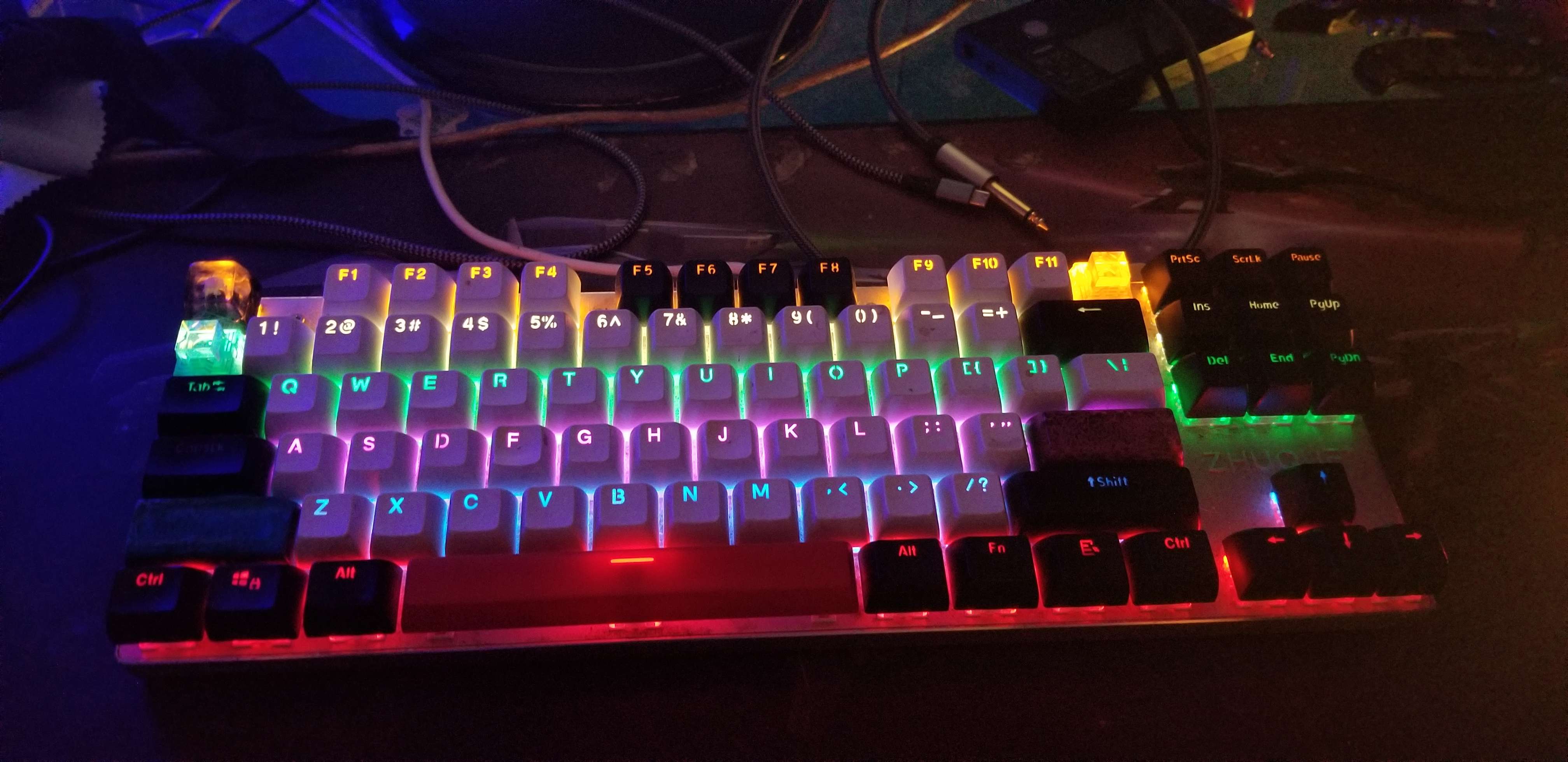
I got a fancy custom keyboard for my birthday which is properly repairable and will most likely never need to be replaced.
Laptops bud
You say don’t replace your keyboard and then within 6 words mention the thing that doesn’t ever have to have some key ms has decided to add to keyboards. Leave the windows key off, too.
I don’t know how long you think you have left to live, but I wish you to change that keyboard someday
Have been using the same Kinesis Advantage daily for 23 years now.
Not a single part has been replaced or repaired, only taken apart to be cleaned.
I had an advantage pro, original, but the rubber fn keys eventually gave up the ghost. Also needed something more portable for work, so have migrated to ergodox now. Still miss that keywell though
Wooting two?
That’s how it starts. I bought a mechanical keyboard thinking that, while expensive, it was reparable and customizable so it would last a lot longer.
Now I’m like a junkie that wants to swap in different switches or try another set of keycaps. Someone help.
Why couldn’t I have just been happy with a normie keyboard that I trash and replace every couple years. Now I’m lubing switches like a maniac.
I have one that i’m perfectly happy with.
I had some trouble with red switched in the past and guessed right on thinking i needed some heavier springs.
I bought some silent yellow’s and 2 sets of pudding keycaps, black and white to mix and match. The letters are white and the numbers + everything else is black.
I don’t want to ever replace this keyboard.
And again, install Linux and get rid of this Microsoft bullshit
100%. When Windows drops support for Windows 10 I’m jumping ship to Linux Mint Cinnamon. I tried it out on my old laptop and liked it. I even liked that neat hot corners thing you could use.
Do I need to know Jack shit about programming to use it? Cause…I mean I really don’t know Jack shit about but I’m down to jump ship!
I would say for Linux Mint Cinnamon you really only need to be able to follow directions. Just make sure you have an external backup of all your files in case it turns out you can’t. You’ll have to type some stuff into a command-line interface (I think) but the Mint Cinnamon website has links to step by step guides. Also, you know, make sure you’re either committed to getting rid of Windows, or have the ability to re-install, in case you mess up.
But really, at this point, it’s pretty dang easy.
I keep my OS on a separate partition from everything else, so all the files should be fine. Can MC read windows dism formats Luke NTFS? Or will I need to transfer my data to something more neutral?
I know it can read ext4, FAT32, and NTFS. After that, I have no idea.
Definitely not, I’d say the thing you need the most is the will to learn - as there are differences of course, but being willing to learn new things will go a long way.
No Mint pretty much just works.
Great thing about Mint (or most Linux distros) is that you can try it by booting from a usb stick - see if you like it that way.Oh wow really? That’s actually very helpful to know! Do I need to format the USB a certain way first or will the distro website go through it?
The USB boot is actually just straight-up a part of the install process. You first boot from the USB, then click on the desktop icon that launches the installer. Of course, you can always just ignore that icon and play around on the USB boot. Based on the questions you’re asking here, you’ll be totally fine. I don’t know the majority of the words people are throwing around here, and I managed to install Linux Mint Cinnamon on a computer so old you’re not actually supposed to be able to do it. I just did some searching and followed forum tutorials. As long as your computer is less than ~12 years old, it won’t be any trouble at all.
You download the image (usually a .iso file) from the distro site then you have to get it onto the stick with a disk image writing program. And be sure when you figure it out that you are writing the image to the right disk!
Rufus was a good program I used, but search around. Windows may do it natively now.
I switched my computer illiterate family members to reduce the effort of helping them and they didn’t notice.
As a helper…
There are distributions focussed on the latest and greatest (Arch, Fedora, etc…) and ones aiming for stability (Debian, Ubuntu, etc…). Think of them as groups with different views.
So Linux Mint is Ubuntu but it has the latest Cinnamon desktop. Ubuntu is Debian but focused on fixed releases and adds ‘snaps’ and includes “non-free” by default.
People have different views on how the desktop should work. The two big desktops are Gnome and KDE.
Gnome is like Marmite. Its works completely different to any other desktop and people either love it or loathe it. Its often the distribution default.
With Windows 10/11 I think Microsoft were trying to steal some of KDE’s best features. By default it looks very much like a Windows desktop but lots of people mod it to look/act like macos. Some people struggle with the options it provides.
Then there are lots of other desktops, for example Cinnamon takes Gnome and turns it into a normal desktop.
Personally I would suggest Kubuntu as your first attempt. This is a fairly decent install guide.
Ubuntu tries to minimise the choices you need to make and the 6 month update cycle keeps it fairly stable.
Kubuntu is Ubuntu it just makes KDE the default instead of Gnome.
I recognize some of those words!
But seriously thanks for the write up. I used Ubuntu WAY back in like 2010 for media storage. I imagine it’s come a long way since then.
The only thing that I think is a little complicated these days is make sure that you’re not reliant on a particular Windows-only app. For the vast majority of common apps, you’re going to be fine, and it’s sounding more and more like even gaming on Linux is not only fine, but getting to the point of being the best way to do it. If you do have a particular app you rely on, I’d look into the various ways that you can get Windows apps running on Linux (which can be a little tricky, but usually not too bad.) But even like 10 years ago, I built a machine for an elderly family member, put probably some flavor of ubuntu on it, and I never had to troubleshoot that machine.
Thanks! How are open office apps these days? Now that Word/Excel is dog shit and subscription based, that’s the only windows only app I think I’d need. Even my recording and video editing apps supposedly run on Linux.
Unfortunately, that won’t change the rise in price in new keyboards because all the companies are compelled to accommodate this change on Microsoft’s behalf.
Keyboards are a bundle item. Rarely buy keyboards except people in offices who want a wireless.m+k combo or foreign layout. Desktops always arrive with a keyboard. Every IT dept I ever worked in has piles of them surplus
If you want to settle for a cheap shitty keyboard, fine. Many of us would rather invest in a nice one.
He means for business, I imagine.
You can go to your IT department and they’ll often just give you one. Great to have around as a spare.
You’re complaining about how expensive keyboards are getting, and saying you prefer to buy the expensive ones? I think I’ve discovered the source of your problem.
What do you consider expensive? My keyboard was a $120 Das Keyboard. It’s comfortable and it’s also lasted me for many years through multiple computers.
I’m not sure why you think investing in a comfortable keyboard is any different from investing in a comfortable chair. Sure, I could buy a chair for $20 at Big Lots, but I don’t want to be uncomfortable when I sit for more than 20 minutes.
What do you consider expensive?
I think that question is in your court, since you’re the one complaining about expense.
Personally, I’ve found price and quality to be completely unrelated as far as whether I like the keyboard I’m using. I recall being given a fancy expensive keyboard at work that I hated and swapped for a cheaper nicer one, and the one I’ve used for many many years at home and like quite a lot is one I literally fished out of the recycler.
Also remember to factor inflation into price comparisons, since keyboards last many years and everything is more expensive now than it was several years ago.
My keyboard is a Microsoft Comfort curve. It cost $20 and has lasted for 15 years through multiple computers. Completely got rid of my wrist issues from standard keyboards.
Glad you found a keyboard that works for you though.
But why? A cheap one does exactly the same job without the loud clicking of a mechanical one to drive your coworkers nuts.
I was never a fan of them before, but I hate them now that I work in an open office workspace.
I mean… comfort?
A bomb and a lambo do the same job too but I know which one I’d rather drive.
Also, this doesn’t just affect work keyboards bundled with workstations, it affects the entire keyboard industry.
Don’t get a clicky mechanical keyboard then
How to say you don’t know anything about mechanical keyboard without saying you don’t know anything about mechanical keyboards (:
You can get linear switches that don’t make the clicky sounds.
Yeah I’m definitely starting to lean that way with everything I’ve been hearing. Fuck windows.
Ugh. Why do keyboards have to have Microsoft logos. I hate it. I want nothing to do with them.
Well, somehow keyboards are now a niche boutique industry where people spend hundreds of dollars putting together custom-made minimalist builds like they’re honing a weapon in an action movie. I find that’s probably dumber than a corporate logo becominmg a default key (which to be fair has been a thing since the 80s, the C64 had a Commodore key), but it does mean that if don’t want it, you can get a keycap with anything you want on it instead.
There’s nothing dumb about a keyboard personalized to your exact tastes and preferences that also makes your job easier and reduces RSI. But like, that’s just my opinion, man.
Your user name is “dyikeyboards”, I feel like we’re gonna agree to disagree on this no matter what I say, and I’m fine with that.
You might be surprised. I’ll be the first to tell you there’s a ton of overpriced, silly hype in the keyboard space. Exotic materials, lubes, and switches that have no measurable impact on performance are common. So are extremely detailed and expensive artisan keycaps. It’s a collector hobby for many. That’s not my thing.
OTOH, there are also some serious gains to be had for professional computer jockeys.
My daily board is just 42 keys, and I absolutely love it. There’s a learning curve for sure, but once mastered you’re on a new level. For instance, I can access all my standard keys, num now, function keys, and arrows without having to move my hands off the home position. It’s brilliant.
Random question for a keyboard aficionado: have you investigated the CharaChorder?
I’m aware of it, but haven’t tried it. There are hobbyists using chording already (this is how stenographers type so fast, combined with shorthand) so the idea isn’t new. The innovation here would be the directional movements in replacing traditional keypresses. I’d give it a go. I suspect the learning curve to be really steep though!
That was my basic assessment as well, I’m not sure the gains are worth trying to unlearn 30+ years of ingrained keyboard habits! Thanks for your take on the subject
That last paragraph would be more convincing without the typo in it.
You determine trustworthiness based on presence of typos?
When you’re talking about how great your custom keyboard layout is, yes.
I think they were typing on their phone. The error looks more like autocorrect than a keyboard typo
The difference is that the C64’s keyboard was physically part of the C64…
I feel like that caveat holds up until you buy a laptop.
deleted by creator
You can still buy a cheap basic keyboard, or a decent Logitech at a reasonable price. You can totally ignore the “niche custom keyboard” market. Most people don’t even know it exists.
What’s annoying is that laptop will now come with that stupid key.
You can totally ignore the “niche custom keyboard” market.
With a place like this on every street corner?!
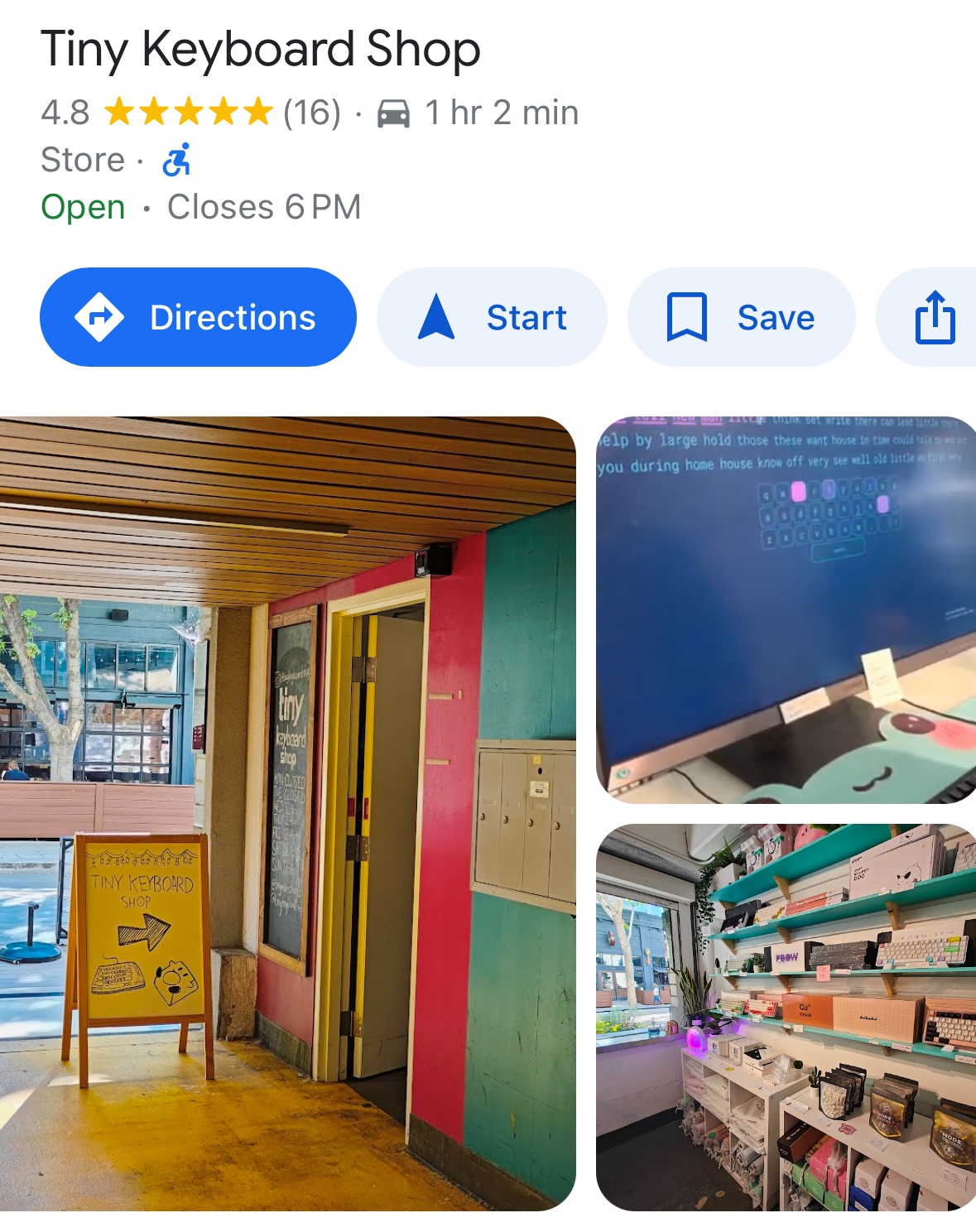
(Just kidding, anyway this little place is an hour south of San Francisco in San Jose.)
That is an actual store that makes real money in U.S. dollars?
What did the commodore key do?! Launch the evil cat typing tutor?
"The Commodore “C=” Key
The VIC-20 removed the numeric keypad that the PET keyboards had, combining the numeric and punctuation keys on the top row with the unshifted keystrokes giving numbers and the shifted keystrokes giving punctuation (!, ", etc.). They also added colour and assigned character codes to change the colour of the text. A good guess would be that this is the reason they added the “C=”: it’s a second kind of shift that now allows three PETSCII codes to be produced from each key rather than just two. This allows all the original graphics codes still to be produced and adds enough extra keystroke inputs to cover the new colours as well. The same keyboard and decoding was used on the C64, with a few extra color codes added.
Thus, while SHIFT L produced PETSCII code 204 on both the PET and the C64, SHIFT 6 produced code 182 on the PET but an ampersand & on the C64, and to get that code 182 on the C64 you’d instead use “C= L”."
Thank you. May copilot be with you.
DOS is my co-pilot.
Years ago, I invested $120 or so on a clickey-clackey Das Keyboard and it’s been just fine. That is by far the most I will ever spend on a keyboard. The only thing I don’t like about it is that it takes up two USB ports and it’s old enough that the built-in USB ports are only USB 1.0. That’s how long it’s lasted me.
A decent keyboard is worth an investment if you use it all the time and want a good feel when you type, but people take it way too far.
If you can type so fast that USB 1.0 isn’t fast enough, keyboards are not the interface for you.
No, the ports on the side of the keyboard that are pass-throughs.
Keyboards, gaming controllers, pens, pillows, lamps, golf clubs, tools…
You can overspend on anything and hobbyists/wealthy people do.
How is investing $120 on a keyboard that is extremely comfortable for me to use that I’ve kept since the USB 1.0 era overspending?
I’m far from wealthy. I bought that keyboard when I was working a $10/hour part time job.
If you had a WFH job, would you buy a $20 chair from Walmart or invest $100-$200 on a chair where you’ll actually be comfortable all day and not develop back problems? And you don’t have to be wealthy to work a WFH job either. My last job was a hybrid WFH/in-office job. I was paid less than what would be minimum wage in California.
Oh wow, am I beefing with Flying Squid now!? 🤩 What an honor…
But seriously, I said “overspend” when maybe I should have used your words: “people take it way too far.”
I just meant enthusiasts and people with too much money buy the high-end stuff. Not even a judgement, though I would remind people of the diminishing returns the more you spend…
I don’t get the hate on custom keyboards. Sure you can go overboard, but like… I spend eight hours a day using a computer for work and then when I’m done I use another computer for fun. It’s not absurd to spend a few hundred bucks on a keyboard that you can expect to last 15+ years instead of the $20 ones that you throw away every year or two or as soon as one thing breaks.
There are definitely keeb elitists though, which is always shitty no matter what hobby you’re talking about.
I don’t hate. I like a good keyboard.
Now, do I think obsessing about the extremely specific properties of switches and keycaps and spending hours manually embedding each individual key component just to get a specific color combination makes sense as a hobby? Hell no. But then neither does collecting stamps or watching people’s grocery runs on Youtube. You do what you want, and this hobby at least lets you put whatever icon you please on the Bixby button.
I’ll say this, though, that justification, which I have used often to myself and others, is a terrible rabbit hole of mismanaged finances. That is true of your monitor, your PC, you laptop, your phone, your keyboard, your chair, your desk… by the time you’re done you’ve spent a year’s salary setting up your workstation with absurdly luxurious, custom gear that sometimes makes no discernible difference. By all means get whatever stuff saves you from injury and provides comfort and satisfaction, but we all know in many of those categories the quality curve flattens out way before the price curve does.
Also, I guarantee most people with a custom keyboard swap it out more often than people who are still using the crappy board that came for free with their prebuilt or was given to them at work. I have dirt cheap Dell keyboards that still work fine. I may not love how they feel or sound, but it turns out we mastered the art of making buttons a while ago and closing a circuit with a conductive pad reliably is not a particularly costly proposition. Hey, buy good keyboards for the feel or because you have a glitzy hobby, but don’t lie to yourself or me about it. You’re a grown person, own that superfluously expensive nerdy taste. If boomers could brag about their fountain pens you can smugly bore your friends talking about the injection molding in the keycaps matching a specific pantone that you bought.
You can get a quality mechanical keyboard in a layout of your choice and take your pick from hundreds of keycap sets in whatever color, profile, material etc. you can think of.
Keychron.com is a good starting point that won’t break the bank (but order them from a reseller or Amazon if you can, Keychron themselves aren’t great with returns and support).
You can get far better than keychron for a fraction of the price. Keychron is over hyped.
Where can I buy these not over hyped but far better keyboards? I’m being serious, I need a new keyboard. Two actually, but one is like DIRE
I typed out an entire reply with pictures and everything and it just went into the void when I hit send. I’m not putting in another 15 minutes of effort, because I have to get on to some other things, but I’ll do my best.
So I live in Canada, so pricing may be different for you than me. A cheap Keychron here is around $100, and I can get a good, hotswappable with removable cable for $40-$50 CAD ($30-$40USD).
I owned a Keychron because I wanted to have a keyboard that could be plugged in and use bluetooth, but the bluetooth side of things was a mess, so I sent it back. So I am not speaking out my ass about the keyboard. Aside from that, it was an okay keyboard, but didn’t offer anything a cheaper keyboard couldn’t do (bluetooth aside).
Here is a 60% on Amazon.ca with hotswappable, and removeable keyboard, with red switches for $35.99 CAD right now ($27.02 USD).
Another for $43.04 CAD here
A nearly fullsize for $49.99 CAD with a $5 off coupon here
An 89 key for 39.99 here
All of them have back lighting as well. And I just looked at the first page without refining my results.
And here’s a few off amazon.com in case you are American:
This is a 98 key mechanical (no detachable cable though) on sale, with a $3 coupon for $29.99 USD (26.99 USD) here
75% for $28.99 with a $6 coupon (USD) here
I love American prices lol.
Here is a 65%, with wireless and wired, hot swappable and backlit for $19.99 here
Just take a look for what you want, and you will find something in your price range that has the features you want. The market is flooded with them, and they will last just as long as the expensive ones. Mine is a 75% going on 10+ years now and my daughters is about 9 years old. I splurged on my partner and got her a GMMK fullsized $100
Here’s mine and I love it: https://lemmy.world/pictrs/image/ab5a48a3-3e7f-48c9-ba81-835d85d2aa1f.jpeg
The switches and keycaps on mine are more expensive than the board itself. I’ve went through 5 or 6 different switches to find what I liked best and used three different keycap styles. Very customizable. The only thing I don’t like about mine is the cable is not removable.
I hope something in here useful. Take care!
Such as what? I’ve always found Keychron to be cheaper
I find it difficult to believe you can go much cheaper than the $50 where Keychron starts for their C series and still get quality.
A couple of years ago when I was looking for a cheap 80% to use as backup and occasional server work I shopped around and you can find stuff at $30-40 but it’s not exactly impressive.
Royal Kludge are a decent alternative but they are not “a fraction of the price”, in fact they’re pretty much the same.
If only keyboards would have function keys for this purpose, named F1 to F10 for example, so any program could use them for their specific functions…
Maybe even F13 to F24 if more is needed?
Because they used to exist, and support for them still does. Really handy for macro keys.Here’s an idea… what if we had every key do all kinds of weird shit?

I’d like them to leave F13 onwards alone, purely because it’s nice that they’ll only ever do what I want them to do
I remember those keyboard layout cutouts (were they called keyboard templates?) you got which you put on the keyboard with extra explanations of what each function key did in WordPerfect or Lotus or whatever.
I’m old.
I found out recently that you can buy replacement keycap sets that have many of the Vim functions printed on them, and I thought that was pretty exciting. I am also old, lol.
After 25 years of using vim I have replaced a lot of otherwise useful reflexes and brain capacity with vim keybindings (using a swedish variant of Dvorak none the less). I am way too old for needing a cheat sheet stuck on the keyboard, and it would even then be wrong not using QWERTY.
I would imagine this isn’t going to go over very well with a lot of companies. I would bet many already ban employees using copilot or other AI assistants because they don’t want their company’s proprietary data being sent to Microsoft or Google or whoever. Stick a key on the keyboard that, if accidentally hit, brings up copilot (and maybe sends data to Microsoft), and those keyboards might be banned.
Some companies will probably just deal with it by setting up their PCs so that copilot is disabled and that key does something else. But, other companies will either not be technically savvy enough to do that, or will not want to take a risk of someone accidentally reverting to the default behaviour.
If you press the windows key I’m pretty sure it brings up search already. It definitely used to bring up Cortana on Windows 10.
I’m not sure why they would add a new key to the keyboard to achieve a function that already exists.
Cortana is not Copilot but you can disable Cortana
Cortana is dead, replaced by copilot
https://support.microsoft.com/en-us/topic/end-of-support-for-cortana-d025b39f-ee5b-4836-a954-0ab646ee1efaJust from a naming things point of view, that’s sad. Much as I dislike Microsoft, and was never interested in Halo, it’s fun that one of the voice-assistant things was a nod to a video game character. It’s sad to have that replaced by something boring.
As an observation, companies are embracing AI to inflict things on their customers, but are avoiding it for their own purposes. Take note.
I can only speak for my own company, but you’re absolutely right, there are severe limits on how we interact with AI and what data can be fed into it.
I also can’t imagine any company with their own interest in AI, your Intels, Oracles, Nvidias, Googles, etc. allowing their employees a 1 click access to Microsofts version.
I was going to say, currently working in K12 & this key would be a nightmare for us. We definitely can’t pay Microsoft’s minimums - disabling/remapping the key wouldn’t be hard, but it’s obnoxious it becomes a priority.
I really hope startups are using Copilot and stuff as much as possible because so much of that code is absolute bloatware trash and it’ll make Copilot worse with time. Or maybe it won’t. Would be funny if it did, though.
I can’t even begin to articulate my hatred for the current Microsoft business model. People used to joke how evil they were but it’s only continued to get worse
Uhhh it wasnt a joke when i was a teen in the 90s. Bill Gates was absolutely hated, like worse than EA
Yes, they were so much better during the IE 6.0 era /s
Can you elaborate on that?
Bixby button, but for Windows
They should just rename the Menu key to the “Flavor of the Week” key. Then they can just rotate which pie in the sky, fetch feature is mapped to it during its period of non-use.
Quit trying to make “fetch” happen
It’s streets ahead, though.
I like it!
This is way more about advertising Copilot than actually needing a new key. M$ gonna $.
I’ll shut that stuff off just like I made every effort to disable Cortana.
It’s unwanted, invasive, and unnecessary.
im not going to lie this is one of the stupidest things ive ever seen a major tech company do
I used to think the Windows key was the stupidest. I mean I still do but I used to, too.
I do find the super key really useful actually, for binding hotkeys for my window manager. But a key for some voice assistant is really dumb.
This. I’m used to using extra keys (like the menu key or Capslock) for chording macros and personal shortcuts. In fact I get gaming keyboards with the customizeable keys (usually perma-bound — perma-binded? — to ctrl-, -2, -3, -4, -5 respectively) so they can be easily trapped and redirected to common macros.
I think the Super key was developed on the same principle.
People joke that the editor Emacs’ name is an acronym for Edit Meta Alt Ctrl Super (all the modifiers but Shift on a very complex keyboard of the past) since it uses modified keystrokes for most of its functions, though really only Ctrl and Meta
Never saw the point given that you could already set chord combinations of Shift, Ctrl and Alt to give more hotkeys than you are likely to remember.
Well, that is one advantage, that it’s somewhat easier to remember Super+P than Ctrl+Alt+P.
But of course, it’s also just a key which likely won’t conflict with keyboard shortcuts used in applications. By convention, Super is only used for OS-level shortcuts.
If the Windows key didn’t exist, Ctrl Alt would work just as well and wouldn’t require anything else to remember because all OS level shortcuts would be Ctrl Alt shortcuts that wouldn’t conflict with any applications.
Using Ctrl Alt would also be faster and more accessible because they are on the right and left instead of the current Super key (Windows) being only on the left.
Sometimes a key gets bound in all regular modifiers so you really need another one.
For example I use Super+F for fullscreen because Ctrl+F, Alt+F and Ctrl+Alt+F are all taken in this or that program.
Oh and btw the right-hand Alt is usually AltGr not regular Alt for non-English countries, it’s used for composing diacritics.
non-English countries
Pedantic point but of the major English QWERTY layouts, US has two Alts, UK has AltGr on the right
the current Super key (Windows) being only on the left.
i have a keyboard that has the super key on both sides, next to alt gr
I have been using key shortcut chaining in my WMs for freeing up more application hotkeys and also make them easier to remember. And it it still quite fast.
Starts them off by Ctrl+T, then for example: A (Audio) - [P, Pause; N; Next; V, Volume] R (Run) - [B, Browser; I, Inkscape; S, Spotify; Q, SQL editor]
And a lot more. The mnemonics helps me remember them, and Ctrl+T, R, B is quick enough to launch a browser.
It’s somewhat useful for some keyboard shortcuts that literally could be replaced with a different key but yeah it’s somewhat silly on its own. This will be downright stupid.
Yup like that and C for copilot or that and V for clipboard history to name a couple.
So why do we need a button if windows already mapped copilot to Windows + C.
It’s hardly the most stupid thing it’s basically just replacing the windows key that you never press with a different key that you’ve never press.
Is it replacing the windows key or is it in addition to the windows key? I use the windows key for a few different shortcuts.
You thought Clippy was dead? Think again, that monster never dies. and is not back bigger than ever in its physical form.
That was Clippy the Gray. This is Clippy the White.
Like this?


What is that thing?
Starro the Conqueror.
It’s from The Suicide Squad (2021)
For real?
Starro has existed in one form or another since the 60s.
Cool! I’ll probably start seeing it everywhere now.
Some Microsoft exec: “Hey, remember when TV remotes started getting a dedicated Netflix button?”